
Roo Code Integration
Roo Code is an AI-powered coding assistant for VS Code that helps you write, debug, and understand code. This guide shows you how to connect Roo Code to LLMCloud.
Prerequisites
Section titled “Prerequisites”- VS Code installed
- Roo Code extension installed (VS Code Marketplace)
- LLMCloud API key (Get one here)
Configuration
Section titled “Configuration”- Open VS Code and click the Roo Code icon in the sidebar
- Click the settings icon (⚙️) in the top-right corner
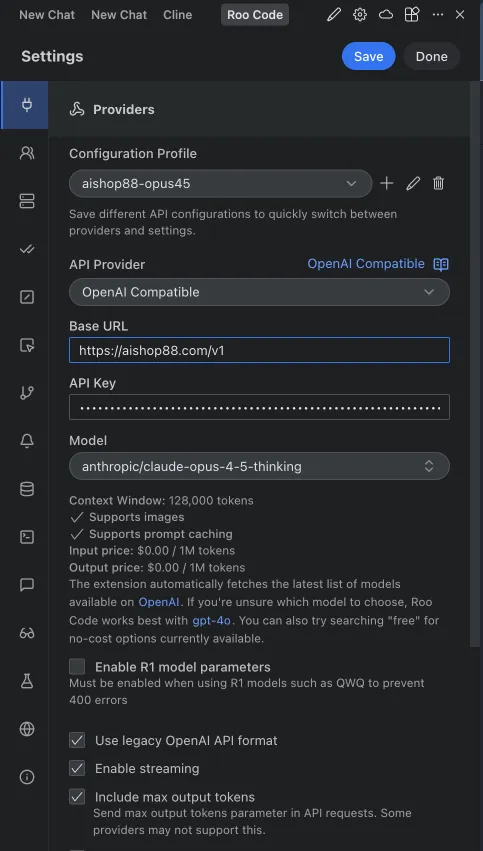
- Configure the following settings:
| Setting | Value |
|---|---|
| API Provider | OpenRouter |
| Base URL | https://llmcloud.studio/v1 |
| API Key | Your LLMCloud API key |
| Model ID | anthropic/claude-sonnet-4.5 (or your preferred model) |
Important: Enable Use legacy OpenAI API format to prevent write_file errors.
Available Models
Section titled “Available Models”| Model | Model ID |
|---|---|
| Claude Opus 4.6 | anthropic/claude-opus-4.6 |
| Claude Opus 4.5 Thinking | anthropic/claude-opus-4.5-thinking |
| Claude Sonnet 4.6 | anthropic/claude-sonnet-4.6 |
| Claude Sonnet 4.5 | anthropic/claude-sonnet-4.5 |
| Claude Sonnet 4.5 Thinking | anthropic/claude-sonnet-4.5-thinking |
| Claude Haiku 4.5 | anthropic/claude-haiku-4.5 |
| Gemini 3 Flash Preview | google/gemini-3-flash-preview |
| Gemini 3 Pro Preview | google/gemini-3-pro-preview |
| Setting | Value |
|---|---|
| API Provider | Anthropic |
| Base URL | https://llmcloud.studio |
| API Key | Your LLMCloud API key |
| Model ID | anthropic/claude-sonnet-4.5 (or your preferred model) |
Supported models: claude-sonnet-4-5, claude-opus-4-5-20251101, aclaude-haiku-4-5-20251001
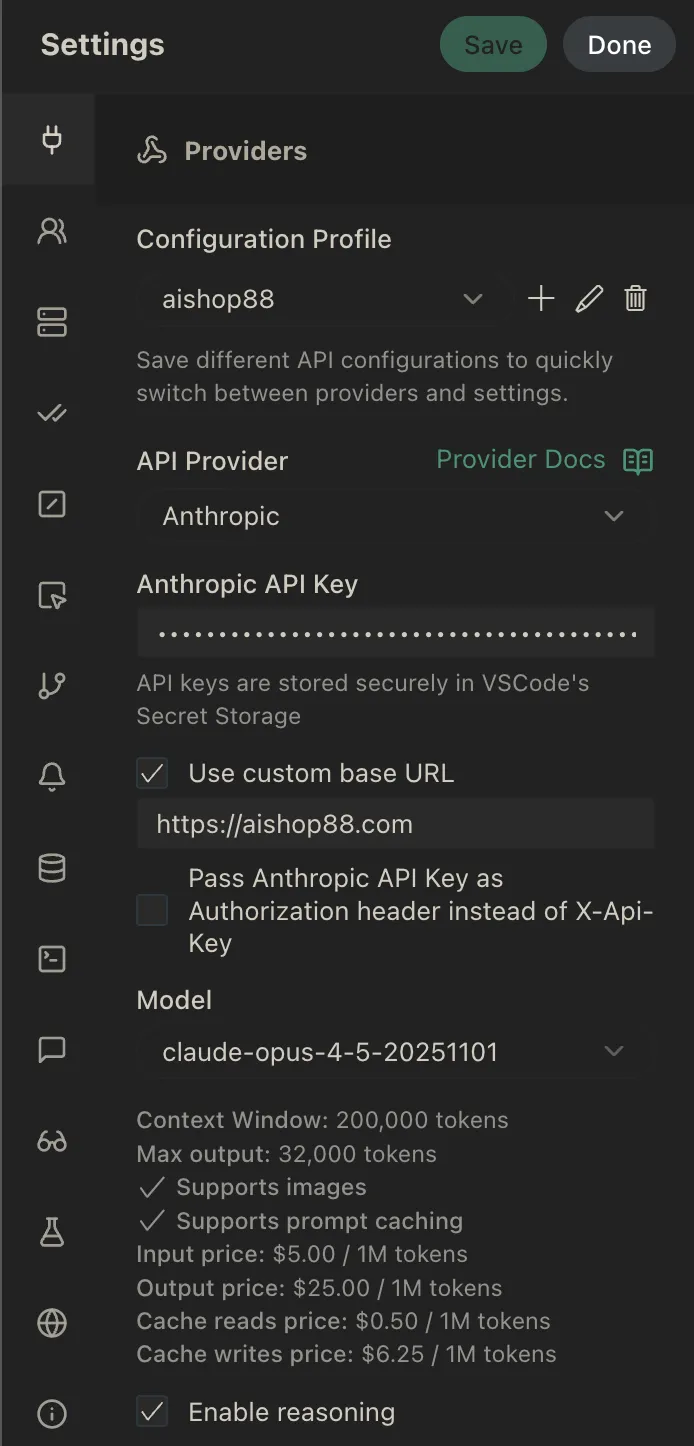
- Click Done to save
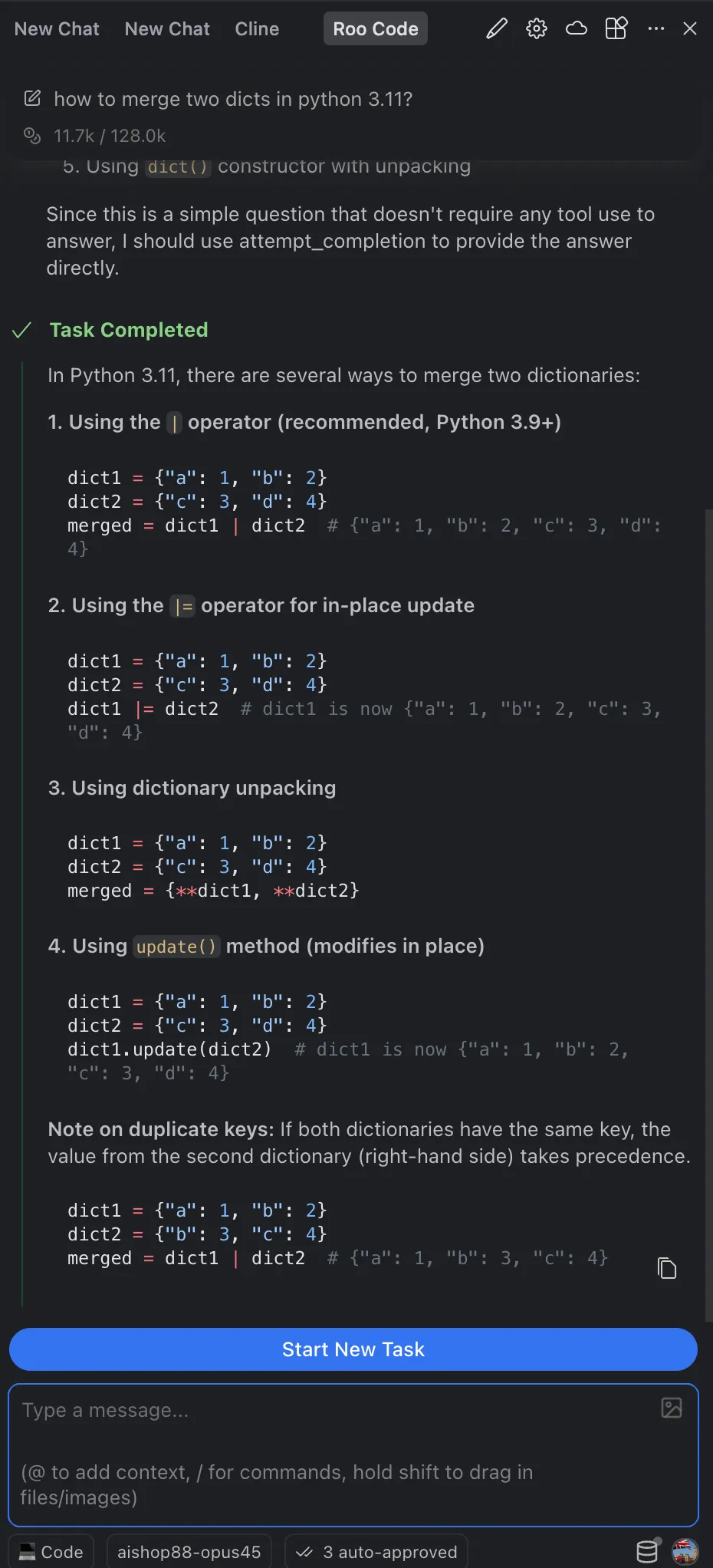
After configuration, Roo Code is ready to use. Open the Roo Code panel and start chatting to:
- Generate new code
- Refactor existing code
- Debug issues
- Explain complex code
Troubleshooting
Section titled “Troubleshooting”Invalid API Key
Section titled “Invalid API Key”Problem: “API Key invalid or unauthorized” error
Solutions:
- Verify your API key is correct
- Check your account has sufficient balance at LLMCloud Dashboard
write_file Errors
Section titled “write_file Errors”Problem: Errors when Roo Code tries to write files
Solution: Enable Use legacy OpenAI API format in settings (for OpenAI Compatible mode)
Connection Failed
Section titled “Connection Failed”Problem: Unable to connect to API
Solutions:
- For OpenAI Compatible: Base URL must be
https://llmcloud.studio/v1 - For Anthropic: Base URL must be
https://llmcloud.studio - Check your internet connection
- Test with curl:
Terminal window curl https://llmcloud.studio/v1/models \-H "Authorization: Bearer YOUR_API_KEY"
Model Not Found
Section titled “Model Not Found”Problem: “Model not found” or “Invalid model” error
Solutions:
- Use the exact model ID format (e.g.,
anthropic/claude-sonnet-4.5) - Verify the model is available in your subscription
Support
Section titled “Support”- Official Website: https://llmcloud.studio
- API Documentation: https://docs.llmcloud.studio
- Roo Code GitHub: https://github.com/RooVetGit/Roo-Cline